Saved sessions
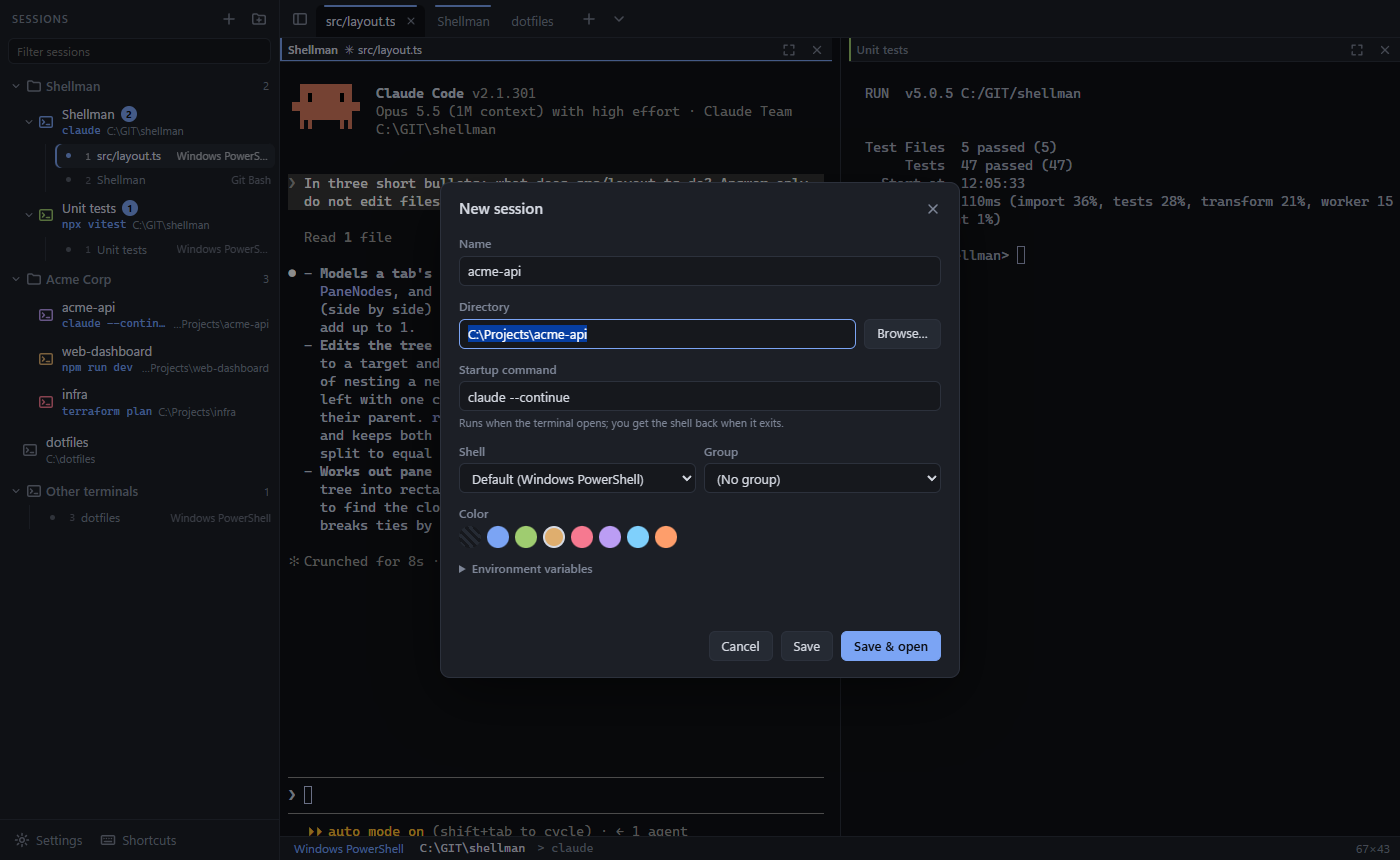
A session is a folder plus an optional command, shell, colour and environment variables. Group them by client or project, and your tabs and splits reopen where you left them.
Free & open source · Windows 10 and 11
Shellman is a Windows terminal manager built around the folders you work in. Save a directory with a startup command like claude, then open it in a tab or split with one click, in PowerShell, Git Bash, cmd or WSL.
2 MB installer · no admin rights needed · updates itself
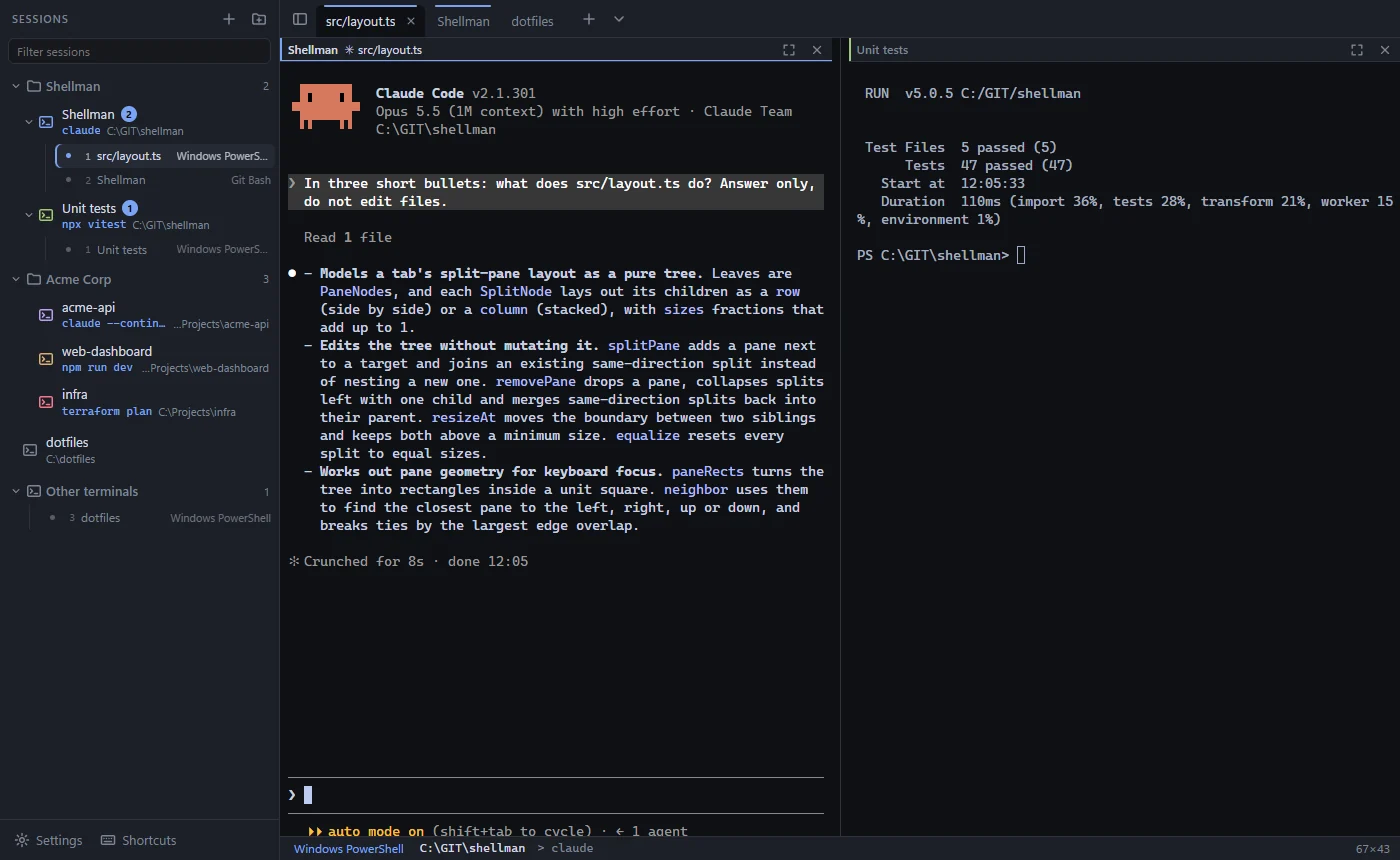
Most terminals start in your home folder and forget everything when you close them. Shellman remembers where you work.
A session is a folder plus an optional command, shell, colour and environment variables. Group them by client or project, and your tabs and splits reopen where you left them.
Every session lists the terminals running in it. Click one to jump to its tab, even with twenty tabs open. Collapse what you don't need.
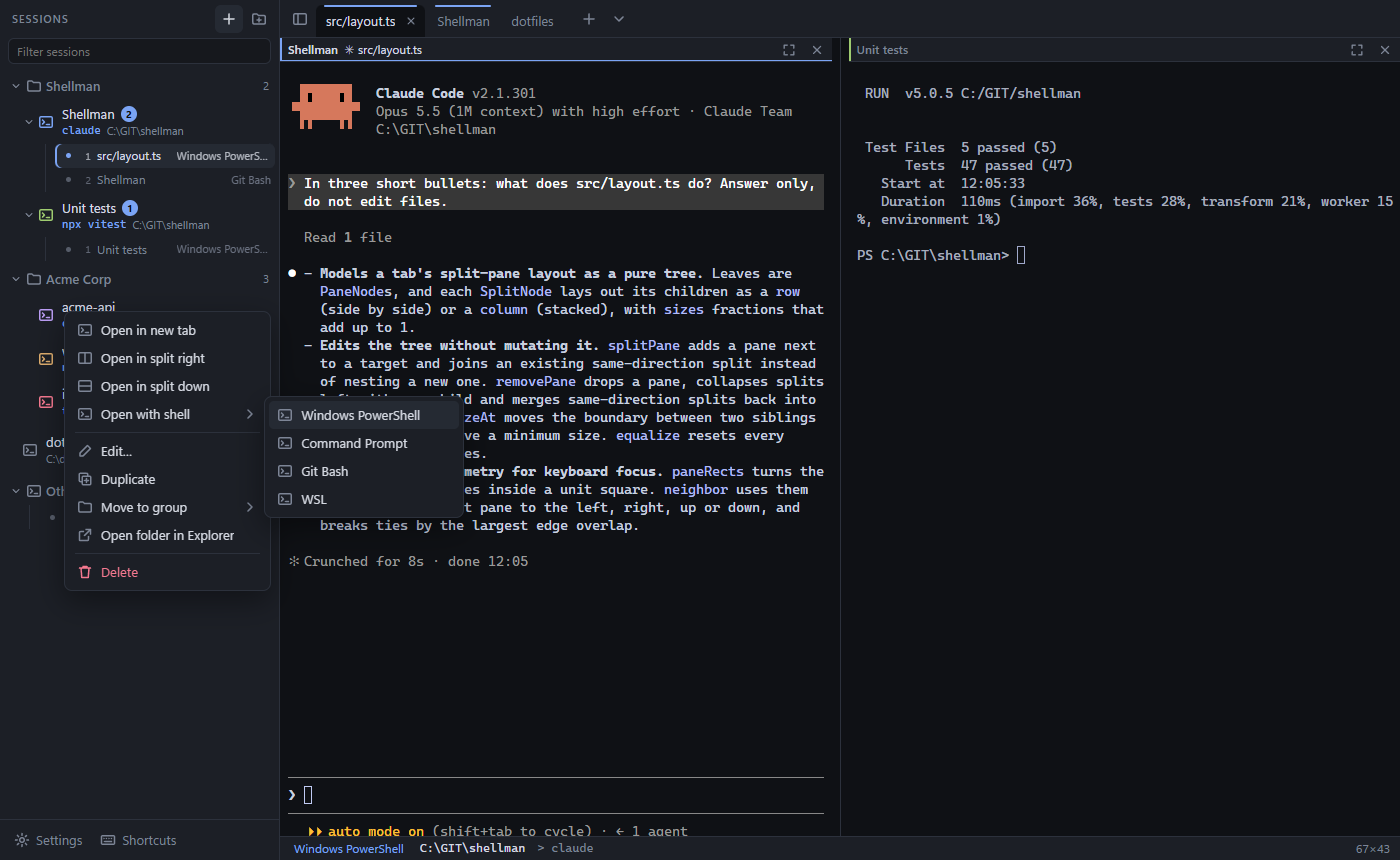
PowerShell 7, Windows PowerShell, Command Prompt, Git Bash and WSL are found automatically. Open a session in another shell, or switch a running terminal from the status bar.
Split right or down to any depth, drag dividers, maximise a pane, move focus with Alt+arrows. New tabs and splits start in the current terminal's folder.
Shift+Enter for newlines, Ctrl+V pastes screenshots into Claude, and tabs take Claude's task title. When Claude finishes or needs input, the tab lights up and the taskbar flashes.
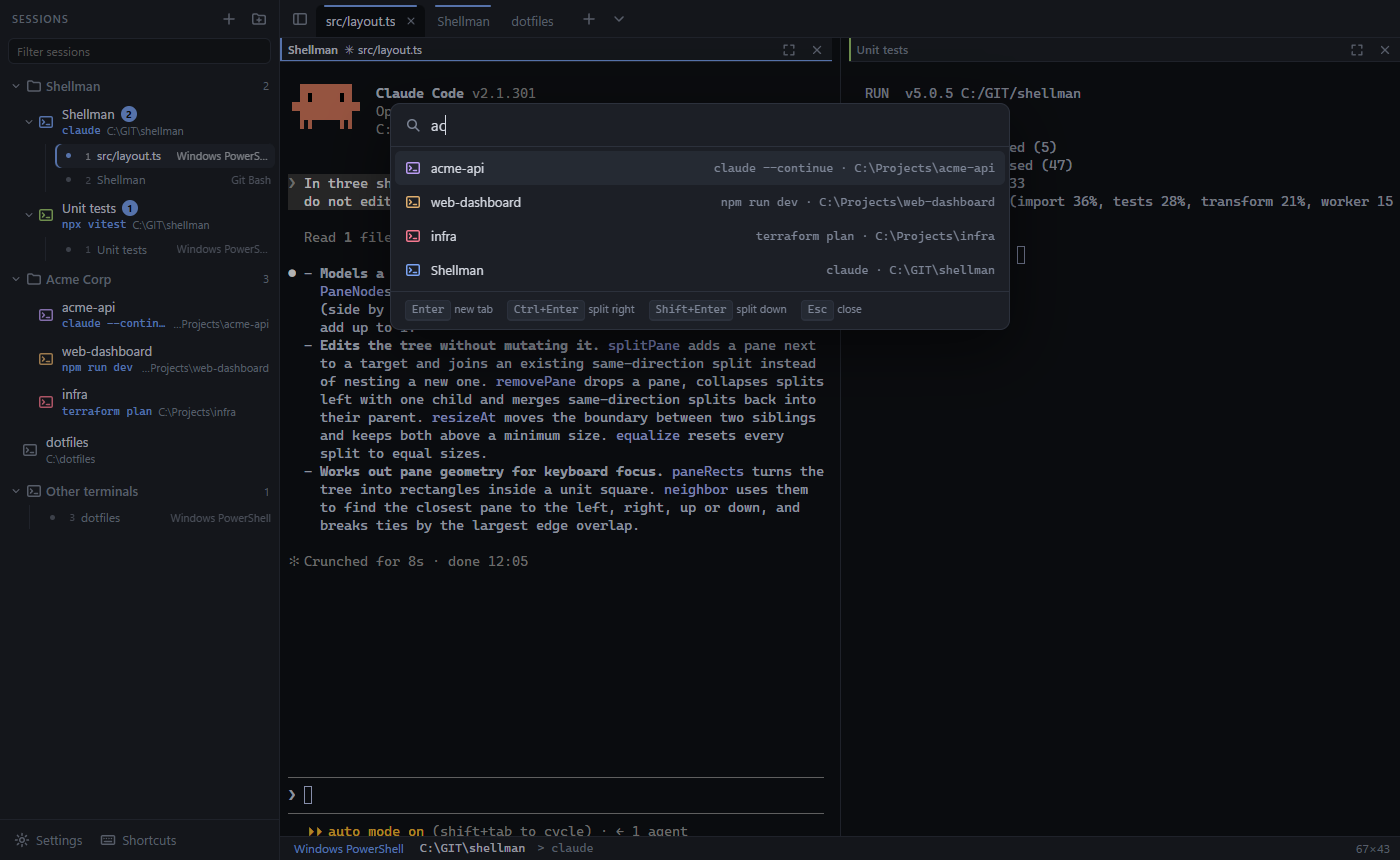
Ctrl+Shift+P fuzzy-searches your sessions. Enter opens a tab, Ctrl+Enter splits right, Shift+Enter splits down.
New versions download quietly in the background and install the next time you restart. Every update is signed.
Written in Rust with Tauri, on Windows' own ConPTY. A 5 MB app with GPU-rendered terminals that starts instantly.
Every action has a shortcut, and none of them use Ctrl+Alt, so AltGr keeps working on Nordic and other European layouts.
Yes. It's free and open source under the MIT license. The code is on GitHub.
No. Shellman works with any shell or command. Claude Code gets some extras: Shift+Enter newlines, pasting images, and a flashing taskbar when Claude finishes or needs input.
PowerShell 7, Windows PowerShell, Command Prompt, Git Bash and WSL are detected automatically. You can add any other shell in Settings.
Shellman checks for new versions in the background, downloads them and installs them the next time you restart it. Updates are signed. In Settings you can switch to notifications only or turn checks off.
The installer isn't signed with a paid code-signing certificate yet, so SmartScreen asks you to confirm. Choose More info, then Run anyway. You can read the source code and build it yourself.
In %APPDATA%\app.shellman.desktop\config.json on your own machine. Every save keeps the previous version as a backup. Nothing is sent anywhere.
Windows 10 or 11, 64-bit. Installs per user, no admin rights needed.